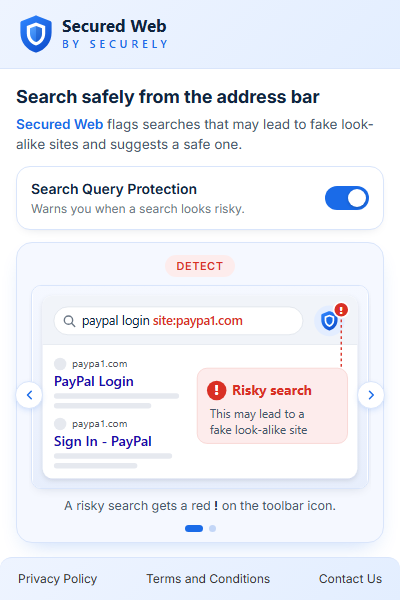
Search Query Protection
Catch the fake hiding in your search
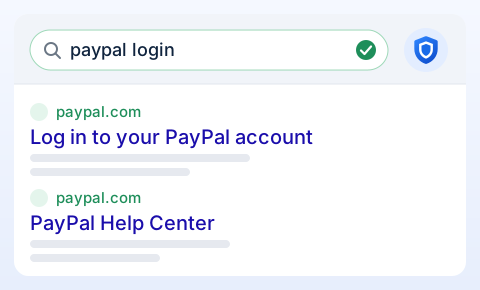
Secured Web By Securely flags searches that may lead to look-alike sites and suggests a safe search in one click.
A “1” posing as an “l”

What it catches
Five tricks it reads between the lines
Look-alike sites hide in plain sight. Each search is checked against well-known brands and their official domains.
Look-alike brand
A letter swapped for a number.
Suspicious domain
A brand name inside someone else's site.
Misleading subdomain
The real name up front, a different site at the end.
Confusable characters
Letters from other alphabets that look the same.
Official site left out
The real domain excluded from results.
Search operators like site:, -site: and inurl: are welcome. They're only flagged when they point somewhere misleading.
How it works
From risky search to safe search
-
1
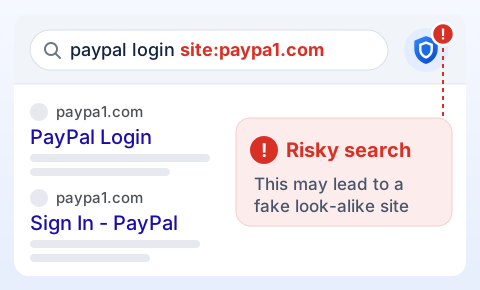
Search as usual
Type in the address bar like always. If the search looks misleading, a red ! appears on the toolbar icon.
-
2
Open the alert
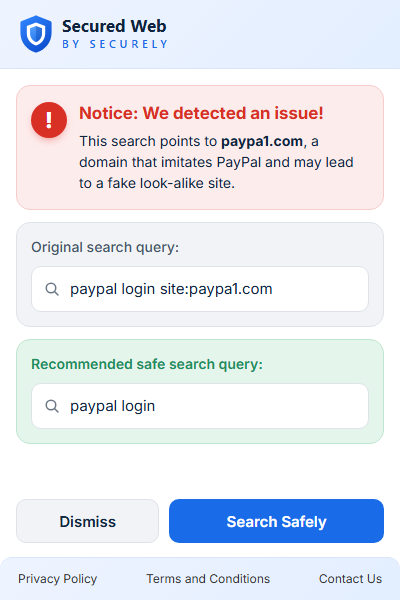
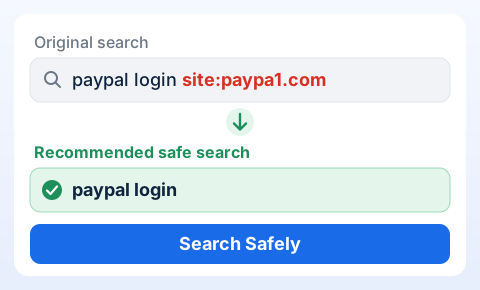
Click the icon to see what was flagged, your original search and a safe one.
-
3
Search Safely
One click runs a fresh search with the safe query, and the badge clears.
You stay in charge
It flags. It never blocks.
- Your search runs exactly as you typed it. Nothing is rewritten or stopped.
- No warning screens in your results. The alert waits quietly on the toolbar icon.
- Ignore the badge or hit Dismiss, and you carry on as before.
- Turn Search Query Protection on or off anytime from the popup.